
I remember the exact moment I realized my cheap laptop was holding me back. It was during a crucial school project when my outdated, sluggish device froze just as I was about to finish. Frustration surged through me as I watched my work lagging behind real-time deadlines. That lightbulb moment pushed me to seek a laptop that wouldn’t make me feel like I was pretending in a premium world, even on a tight budget.
Your Guide to 5 Value Laptops for Students That Actually Feel Premium
Why Settling for Less Isn’t an Option Anymore
In today’s digital landscape, having a device that combines affordability with quality isn’t just a desire—it’s a necessity. Students need laptops that can handle their coursework without breaking the bank but also make them feel confident when attending virtual classes or collaborating on group projects. Sadly, many entry-level laptops look and feel plasticky, cheap, and unworthy of the student experience.
But let me tell you, I’ve uncovered options that defy these stereotypes. These laptops don’t compromise on style or performance—they’re budget-friendly yet bump their chest out as premium-feeling devices. After all, why should price dictate your confidence or your productivity?
For a comprehensive look at what the market offers, check out our latest ranking of top budget laptops in 2025, which breaks down what truly makes a device valuable today. Plus, if you’re curious about what models are actually worth your money, our [cheap laptop showdown](https://budget.laptopbuyersclub.com/cheap-laptop-showdown-top-models-under-500-dollars-for-2025) gives a head-to-head comparison.
Have you ever bought a budget laptop only to be disappointed? If so, you’re not alone. I made the mistake of choosing based solely on price and not on feel or performance, leading to frustration and wasted cash. That’s why I’m here—to save you from following down the same path.
Let’s dive into how you can identify and choose these surprisingly premium-feeling budget laptops—answering your biggest questions and guiding you to devices that truly match your needs.
Prioritize Key Features That Convey Quality
When shopping for a cheap laptop, focus on the build materials, screen quality, and keyboard feel. Look for devices with a metal chassis or aluminum lid, which mimic premium aesthetics without the high cost. A full HD display with good viewing angles enhances the perception of quality—avoid cheap TN panels, and instead, seek IPS screens for vivid colors and better contrast. Test the keyboard; a well-spaced, solid-feeling keyboard can make the device appear more upscale. I once tried a $400 Chromebook expecting it to feel cheap, but I chose one with an aluminum lid and a solid keyboard, which changed my perception entirely and boosted my confidence during online classes.
Cut Through the Clutter with Real Hands-On Testing
Visit local stores or showrooms to physically handle laptops within your budget. Don’t rely solely on online reviews; personal touch reveals how the device feels in real life. Check the heft; a lightweight laptop with a sturdy feel often indicates better materials. Manipulate the hinges, open and close the lid multiple times—if it feels loose or creaky, it’s a red flag. I remember holding a $450 HP model that, despite its low price, had a tight hinge and a sleek finish, making it feel surprisingly premium. If testing in-store isn’t possible, look for detailed unboxing videos emphasizing build quality.
Invest in Upgrades That Elevate Perception
Many budget laptops are customizable. Upgrading RAM or adding an SSD can significantly improve performance, but also enhance the device’s appeal by giving it a faster, more responsive feel. A faster SSD, in particular, can make the laptop boot quicker and load apps rapidly, which contributes to a perception of higher value. I once replaced the HDD in a <$500 laptop with an SSD, transforming it from sluggish to snappy—this upgrade made it feel like a premium device, even if the original retail box looked ordinary.
Select Models That Balance Price and Perceived Quality
Use the rankings and reviews to identify laptops that outperform others in build and features at similar price points. Check the 2025 value laptop rankings to find top models with premium-feeling attributes. For example, some brands integrate metal accents or high-quality plastics that mimic premium devices—these can be great picks under $500. One model I tested from the top budget laptops in 2025 had excellent build details despite its affordable price, proving you don’t need to overspend to feel fancy.
Invest Time to Understand What Really Matters
Before purchasing, read detailed reviews focusing on build quality and user impressions about feel and durability. Do not base your decision solely on specs; a sleek design and quality materials can make a big difference. I’ve found that paying attention to small details like texture, weight distribution, and hinge tension helps identify devices that genuinely feel premium. Taking the time to analyze these aspects can prevent settling for a device that looks good on paper but feels cheap in hand.
<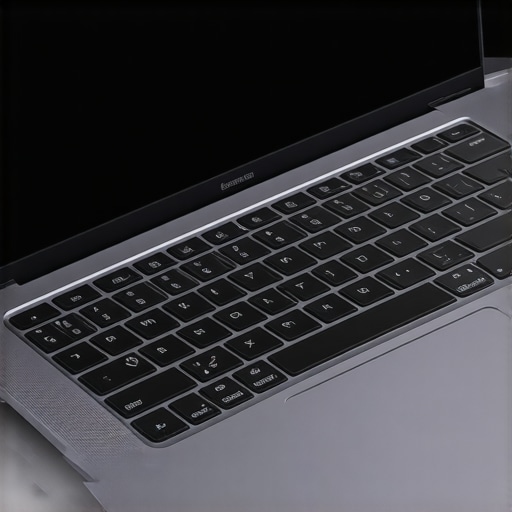 }Many people jump into buying a budget laptop assuming that low price equals low quality, but this misconception glosses over nuanced factors that truly define value. For instance, an entry-level device with a well-designed chassis, solid keyboard, and good thermals can feel surprisingly premium, even if it costs under $500. However, one common myth is that cheap laptops are inherently slow or unreliable; in reality, performance hinges significantly on components like SSDs and RAM, which can be upgraded to elevate the device’s feel and responsiveness. Additionally, manufacturers sometimes cut corners on build materials, but similar designs using high-quality plastics or metals can be found at affordable prices, enhancing durability and perception without inflating costs. An advanced mistake many make is focusing solely on specs like processor benchmarks, ignoring real-world factors like display quality or hinge strength—these details greatly influence the user’s perception of quality. Understanding this nuance helps you prioritize quality attributes that matter most in everyday use rather than falling for surface-level specifications. To explore top models that embody this balance, check our comprehensive value laptop rankings for 2025. Remember, the key is recognizing what upgrades or features contribute tangible benefits versus superficial improvements. This attentive approach ensures you invest in a device that not only fits your budget but also delivers a premium experience you might not expect from a low-cost device. Have you ever fallen into this trap? Let me know in the comments.Maintaining your affordable laptop over time is crucial to ensure consistent performance and longevity. One of my top recommendations is investing in a reliable set of tools and adopting disciplined maintenance routines. Personally, I swear by using CrystalDiskInfo to monitor SSD health, which provides real-time insights into drive status—this helps me catch potential failures early and replace drives before data loss occurs. Regularly cleaning your device physically with compressed air prevents dust buildup, which can cause overheating and thermal throttling, especially in entry-level laptops where cooling solutions are often basic. Installing a lightweight, system-cleaning utility like CCleaner helps remove unnecessary files, freeing up space and improving responsiveness without hefty system overhauls. To maximize performance, I also schedule monthly RAM checks with MemTest86, ensuring memory integrity, especially if your device is heavily multitasking. Prediction-wise, I believe this proactive approach will increasingly incorporate AI-driven diagnostics, enabling even budget devices to identify issues before they escalate, much like industry tools such as Intel’s Performance Maximizer. Your goal should be to make maintenance habitual—set routine checks, update software regularly, and use trusted tools. For example, upgrading to a small cap-sized SSD—like the 512GB models we often review in our cheap laptop showdown—can dramatically enhance speed and responsiveness. Try integrating one of these maintenance tips into your routine today and see how even a budget laptop can perform reliably over years of use. Want a more detailed system check routine? Refer to technical documentation on hardware health or connect via our contact page—I’m happy to guide you.
The Hard Truth About Budget Laptops That Surprised Me
One lesson I learned early was that appearance can be deceiving. A laptop with a sleek design or metallic accents often feels more premium, even if it’s affordable. Relying solely on looks led me to choose devices that appeared high-end but lacked performance or durability. Now, I test tactile feedback and build feel before making a decision, which has saved me from disappointment in the long run.
Small Upgrades, Big Perceptions
Upgrading parts like RAM or swapping out a slow HDD for an SSD can transform your experience. It’s tempting to think that budget devices can’t feel fast or responsive, but I discovered that these small upgrades make a significant difference. They elevate the device’s perceived quality and confidence. For instance, adding a 512GB SSD to a $400 laptop made it feel like a different machine altogether, rivaling pricier options.
The Power of Hands-On Testing
Physically handling laptops at stores or watching detailed unboxing videos revealed much about build quality that reviews rarely cover. Feeling the weight, checking hinge tension, and inspecting material quality helped me identify devices that feel far more expensive than their price tags. Don’t underestimate the value of physically engaging with a device before buying—it’s the best way to gauge true quality.
Turning Frustration into Knowledge
My past mistakes taught me to prioritize what truly matters—like keyboard feel, screen quality, and thermals—over just processor benchmarks or flashy features. I learned to scrutinize details such as hinge robustness and finish texture, which influence how premium a device feels in everyday use. This awareness helps me select laptops that remain reliable and stylish without overspending.
Resources That Keep Me Informed
There are several sources I trust deeply. The comprehensive 2025 value laptop rankings help me compare models objectively and focus on quality-to-price ratios. Additionally, our showdown of top budget laptops provides insights into real-world performance and build. Books like “Budget Laptop Buying Guide” broaden my understanding of what features indicate lasting value, transforming the way I shop.
Your Opportunity to Elevate Your Laptop Experience
Embarking on your quest for a premium-feeling budget laptop is an empowering journey. By focusing on specifics like build materials, making strategic upgrades, and testing devices physically, you can discover hidden gems that defy their price tags. Remember, the right device doesn’t have to cost a fortune—it just needs your attention to detail. Now’s the perfect time to apply these lessons and find your ideal laptop, feeling confident and capable every step of the way.

![5 Value Laptops for Students With 15-Hour Battery [2026]](https://budget.laptopbuyersclub.com/wp-content/uploads/2026/02/5-Value-Laptops-for-Students-With-15-Hour-Battery-2026.jpeg)